
How to manually add Social Content to your feed
- Navigate to your main feeds page.
- Select the small cog Icon on the right hand corner of the page.
- Followed by "Insert content".

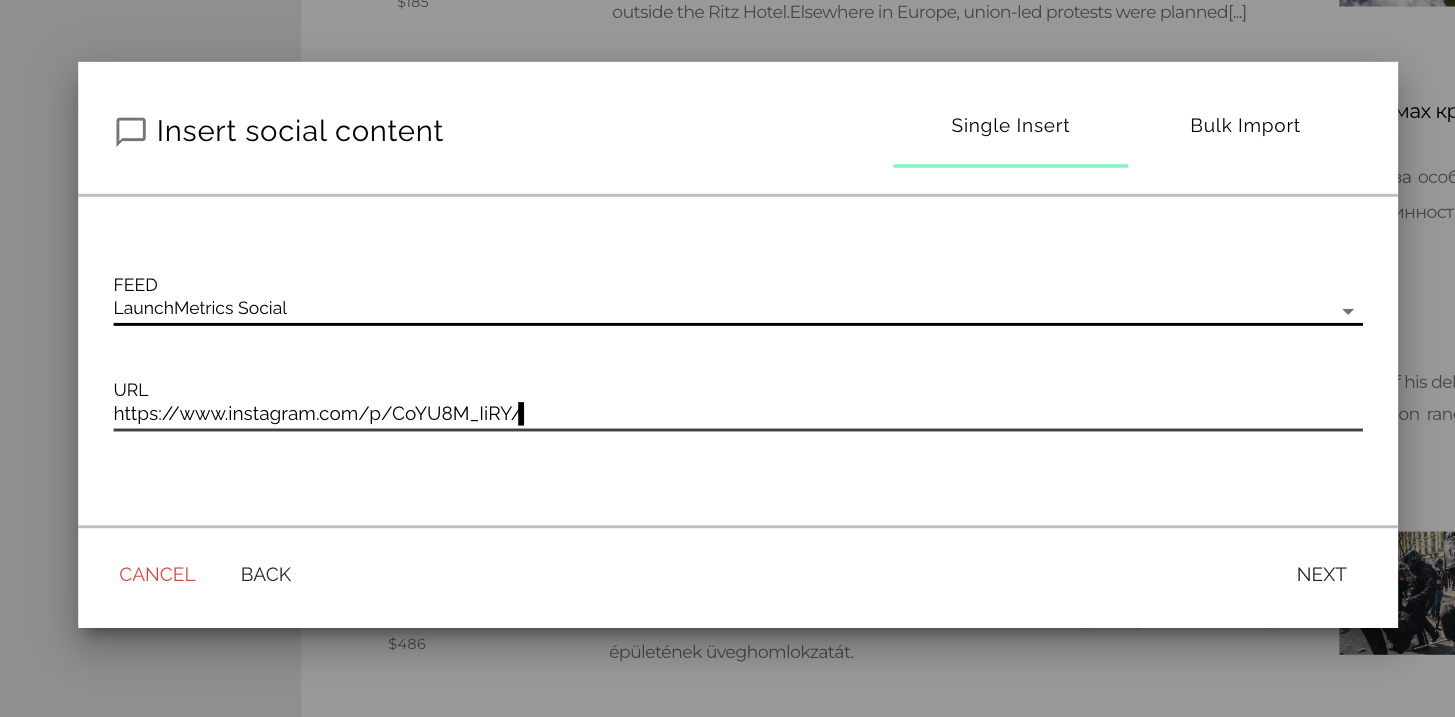
- A new pop-up window will appear
- On this pop-up page you'll need to select the feed you'd like to add your Social article to and copy and paste the article into the URL field.
- Into the URL field can be added posts from Instagram, TikTok, Twitter, Facebook or Youtube (it also works for Instagram reels).
- Please note the "bulk import" feature for Social is not yet available.
- In case the URL of interest has been crawled by Discover, the following window will open up, select the post, click on "Save and Insert More" if you'd like to continue manually adding posts to your feed, or "Save and Finish" to add the post and close the window.

- When the content has not been crawled by Discover, this window will open up.

- If this happens we recommend contacting the Support Team for help. There are many possible reasons why a social post is not been crawled and the Support Team will be happy to investigate the issue for you and help you to add the content to your social feed.